 ibasho
GitHub
Make manga and anime with the AI you already have.
Free and open source.
Ibasho takes your script through the steps a real studio uses: storyboard, art, lettering, then shots and animation. An AI crew does the first pass. You check it, fix it by hand, and stay in charge.
Comfortable with a terminal? Run it yourself today.
A script goes in. Finished pages come out.
Paste a chapter script, or bring in a whole book. Every panel below is a real screen from Ibasho, working on the maker's own series, Run Out.
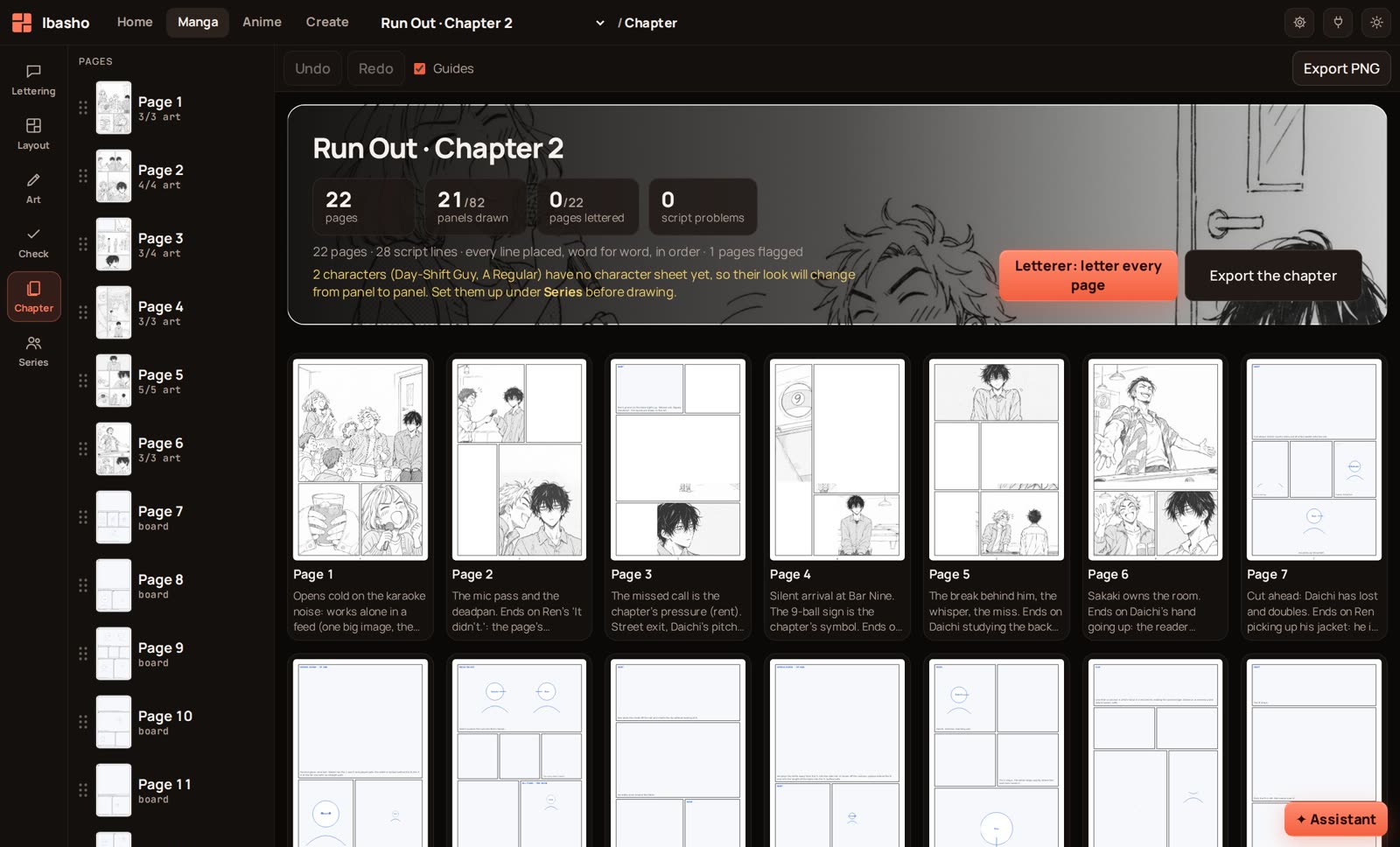
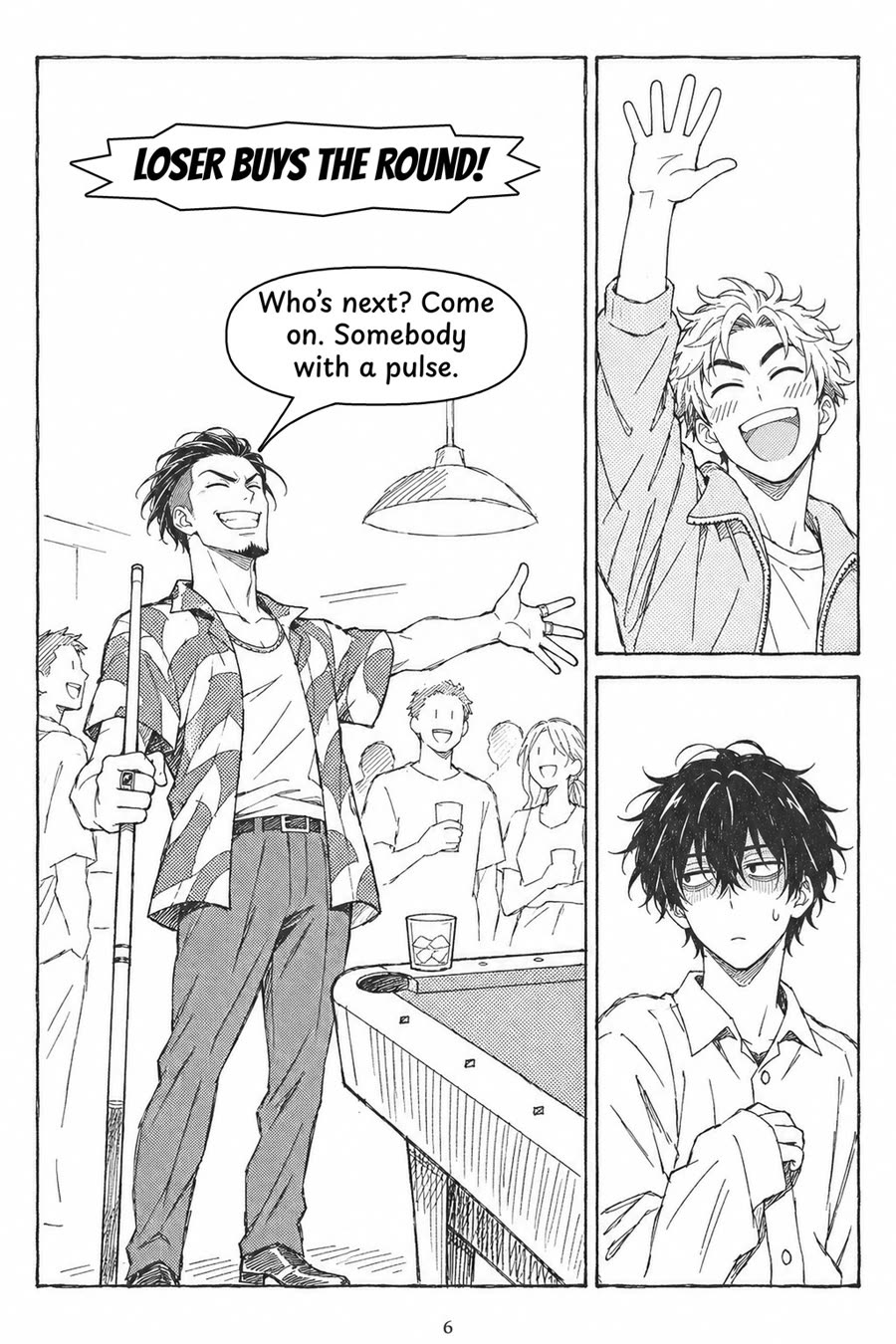
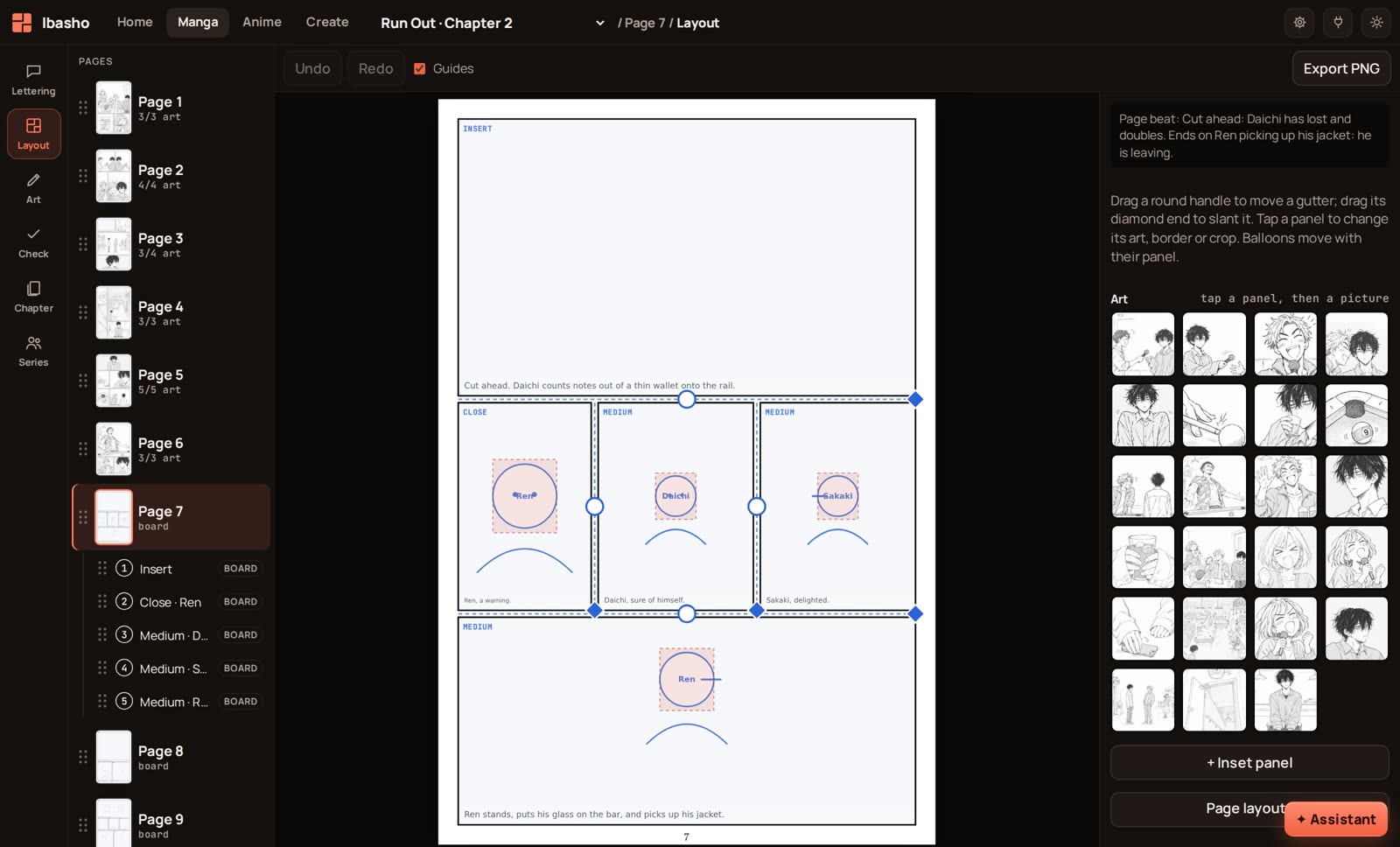
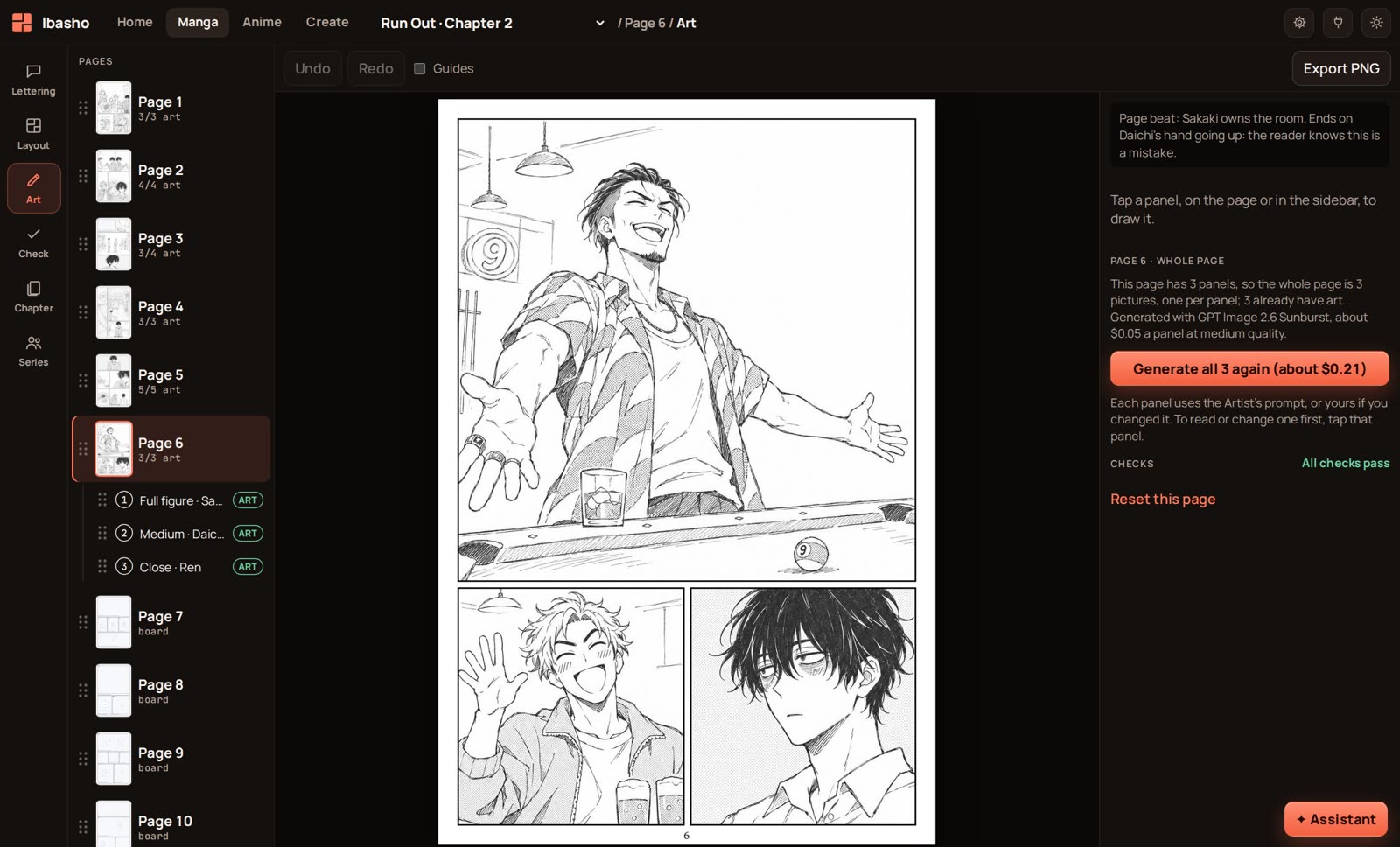
Export single pages, a whole chapter, or a set sized for a 20-picture post.
A crew that proposes. You decide.
Each role is a plain text file with its rules and the lessons from real runs. You can read it, change it, and edit every result by hand.
Paneler
Reads the script and lays out pages and panels: at most six panels and seventy words a page.
Artist
Draws each panel, then checks its own picture for stray text, extra people and broken hands.
Letterer
Sets every balloon, tail and sound effect. Drag any of them afterwards.
Writer
Turns an idea into a show: people, places, and the first episodes.
Blocking
Plans each shot's movement, camera and timing.
Assistant
On every screen. Ask in plain words and it offers the next step as a button.
Then the page starts to move.
Each panel becomes a shot with its lines, its action and its length. Or start an anime from a script alone, with no manga at all.
- Shot list and plan check. Edit shots on your phone. A built-in check flags staging and timing problems before you spend anything.
- Animatics. A still animatic with camera moves and subtitles, and a grey 3D one at real scale.
- Sound. Layers for each voice, music and effects. Record a line right in the app.
- Export. One scene or a whole episode, as a video file.
The anime side is newer than the manga side and still changing fast.
Someday I'm going to beat you, for sure!
A shot from the Run Out pilot, started from a still made in Ibasho.
- S001establishing3.8 s
- S002insert2.5 s
- S003comedy2.8 s
- S004dialogue2.4 s
- S005dialogue2.4 s
- S006insert1.4 s
- S007dialogue2 s
- S008comedy2 s
- S009insert1.6 s
- S010establishing2 s
The first ten shots of a real scene: 22 shots, 48.5 seconds in all.
Your models. Your keys. Your bill.
Ibasho is a light app. The heavy AI work runs wherever you already pay for it, and you pay that service directly.
- Use what you have
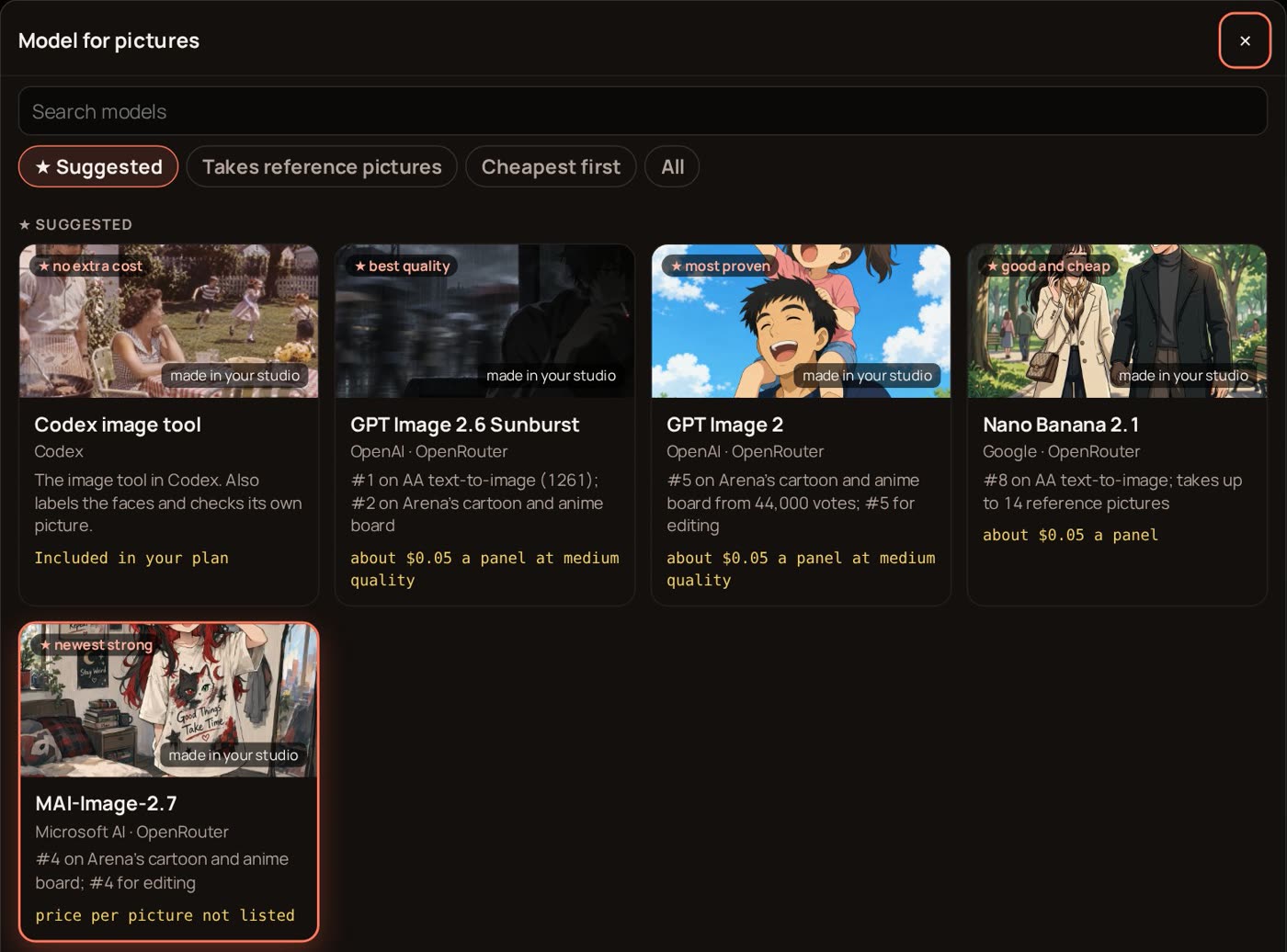
- Sign in with a Codex plan, or paste an OpenRouter key and pick any picture, writing or video model.
- See the cost first
- Every paid job shows its price before it runs. Set a monthly cap and Ibasho stops there.
- Your work stays with you
- Projects, pictures and keys are saved in folders on your own computer.
Run it on your own computer.
Ibasho runs comfortably on an old laptop. It is early software, built and tested every day on one creator's own series, so expect rough edges.
- Node.js 20 or newer. No install step.
- Python 3 with Pillow and NumPy.
- Codex CLI, signed in, or an OpenRouter key.
- For anime: ffmpeg.
Ibasho is free and stays free. If it helps you, you can support its maker on Ko-fi.
git clone https://github.com/SprowtD/ibasho.git
cd ibasho/page-editor
node server.mjs
Then open http://localhost:5178
Ibasho means "a place where you belong".
No terminal? A hosted version is on the way.
Open a page, sign in, start your chapter. Leave your email and you will get one message when it opens. Nothing else.